
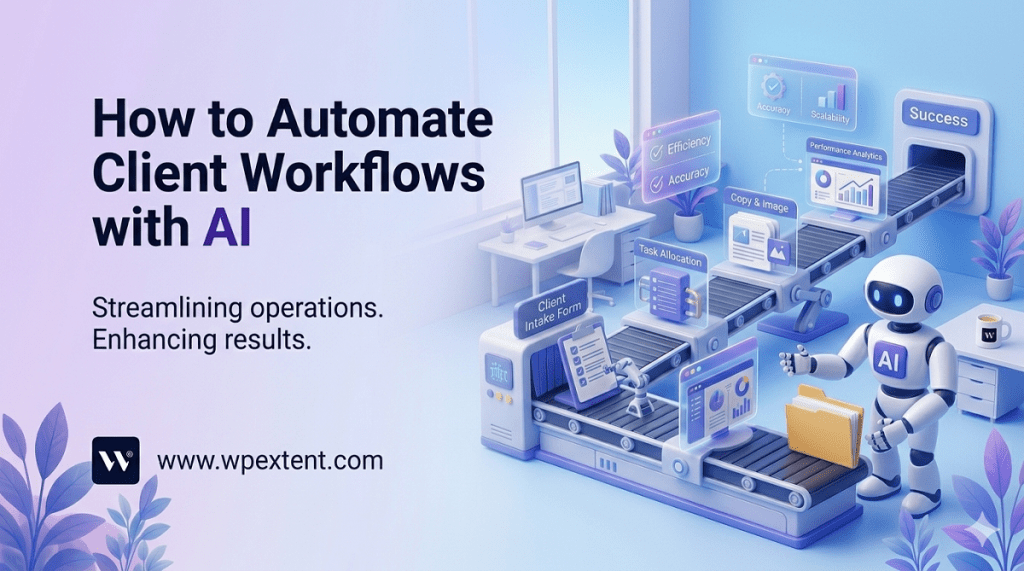
If you are still handling client onboarding manually, building reports from scratch, and copying data between tools by hand, you are losing hours every single week. Hours that could go into strategy, creativity, and growing your agency. The good news? AI can handle most of that repetitive work for you — and you do not need to be a tech expert to make it happen.
Automating client workflows with AI is now one of the fastest ways for digital agencies to save time, reduce mistakes, and deliver a better experience to clients. In this guide, we will walk you through the whole thing — which workflows to automate first, which tools to use, and how to set it all up without things going wrong.
Whether you run a small team of five or a growing agency of fifty, this guide will give you a clear, practical roadmap.
40%
of agency time is spent on tasks that AI can automate (McKinsey, 2024)
3×
faster client onboarding for agencies using AI-powered workflows
68%
of agency owners say manual reporting is their biggest time drain
$28K
average annual saving per 10-person agency from workflow automation
1. Why Automating Client Workflows Is No Longer Optional
A few years ago, automating your agency workflows was something only large agencies with big tech budgets could think about. Today, the tools are affordable, easy to use, and built for teams of every size. The question is no longer can we automate? — it is why haven’t we started yet?
Here is the real problem with manual workflows: they do not just waste time. They create inconsistency. One team member follows a slightly different process than another. Something gets missed in a handover. A client update goes out two days late. A report has a formatting error. These small things add up and they quietly damage the client relationship — even when the actual work is excellent.
AI-powered workflow automation solves this by making your processes consistent, fast, and reliable — every single time. It removes the human error from the repetitive parts so your human talent can focus on the parts that actually need a real person.
AI does not replace your team. It gives your team their time back.
2. Which Client Workflows Are Easiest to Automate First
Not every workflow is ready for automation on day one. The easiest place to start is with tasks that are repetitive, predictable, and currently taking up a lot of time. Here is a simple way to spot them: if you or your team does the same thing more than three times a week, it is probably a good candidate for automation.
Based on what works best for digital agencies, here are the six workflow types that deliver the biggest return when automated:
- Client onboarding — collecting information, setting up accounts, sending welcome materials
- Project status updates — pulling together progress reports and sending them to clients
- Content production pipelines — briefing, drafting, reviewing, and scheduling content
- Invoice and billing reminders — chasing payments and sending automated follow-ups
- Meeting notes and action items — transcribing calls and turning them into task lists
- Performance reporting — gathering data from ad platforms, SEO tools, and analytics and building reports
Start with just one. Pick the workflow that eats the most time right now and automate that first. Once it is running smoothly, move to the next one.
Quick tip
Ask every team member to write down the five tasks they repeat most often. The tasks that appear on multiple lists are your best automation starting points.
3. The Best AI Tools for Agency Workflow Automation
You do not need to use dozens of tools. A smart combination of three to five tools can automate most of your core workflows. Here are the ones that are actually worth your time in 2025:
⚡
Zapier AI
Connects your apps and automates actions between them. No coding needed. Great for triggering tasks when something happens — like a new lead coming in.
Free + Paid
🤖
Make (formerly Integromat)
More powerful than Zapier for complex workflows. Lets you build visual automation flows with multiple steps and conditions.
Free + Paid
✍️
Claude / ChatGPT
Drafts emails, writes reports, summarises meeting notes, and creates content briefs — at a fraction of the time it would take manually.
Free + Paid
🎙️
Fireflies / Otter.ai
Automatically records, transcribes, and summarises your client calls. Pulls out action items and decisions without any manual note-taking.
Paid
📊
Looker Studio + AI
Builds automated client reporting dashboards that pull data from Google Ads, Analytics, Meta, and more — updated in real time.
Free
🗂️
ClickUp / Asana AI
AI-powered project management that auto-assigns tasks, sets deadlines, and nudges team members — keeping projects moving without constant manual checking.
Free + Paid
4. Automating Client Onboarding with AI
Client onboarding is one of the most time-consuming parts of agency life — and also one of the easiest to automate. Right now, onboarding often looks like this: someone sends a manual welcome email, another person chases a questionnaire, someone else sets up the project in your management tool, and a fourth person creates the folder structure. That is four people doing four separate manual tasks just to get a client started.
With AI workflow automation, all of this can happen automatically the moment a contract is signed.
What an Automated Onboarding Flow Looks Like

Tools like Zapier can trigger this entire sequence the moment your CRM marks a deal as closed. The welcome email can be drafted by AI and personalised with the client’s name, company, and the specific service they signed up for. The intake form goes out automatically. And by the time anyone on your team opens their laptop, the project is already set up and waiting for them.
The result? Your client feels looked after from minute one. Your team saves two to three hours per new client. And nothing falls through the cracks.
5. AI-Powered Project Management and Task Delegation
Once a client project is underway, keeping it on track is a constant juggling act. Deadlines shift. Priorities change. Team members get pulled in different directions. This is where AI-powered project management can make a real difference.
Modern tools like ClickUp AI and Asana’s AI features can look at your project timeline, spot risks before they become problems, and automatically nudge the right team members when something is falling behind. They can also take a client brief and break it down into a task list automatically — saving your project manager an hour of setup time.
What AI Can Handle in Project Management
- Breaking a project brief down into tasks and subtasks automatically
- Assigning tasks to team members based on their current workload
- Sending automatic reminders when a deadline is approaching or missed
- Flagging when a project is at risk of going over budget or running late
- Creating weekly progress summaries that you can send straight to the client
- Updating project status when tasks are marked complete — no manual updates needed
Pro move
Connect your project management tool to your meeting transcription tool. When a client call ends, the AI pulls out the action items and adds them as tasks to the project — without anyone typing a single word.
6. Automating Client Reporting and Updates
Building client reports is one of the biggest time sinks in any digital agency. A good monthly report can take three to five hours to pull together — gathering data from multiple platforms, formatting it, writing the commentary, and making it look presentable. Multiply that by ten clients and you have lost half a week every single month.
AI-powered reporting tools can do most of this automatically. Looker Studio (free, from Google) connects to all your major data sources — Google Analytics, Google Ads, Meta Ads, Mailchimp, and many more — and updates in real time. You build the report once and it updates itself every day without anyone touching it.
You can take this further with AI. Tools like Narrative BI and ReportGarden use AI to write the commentary for you — pulling out the key trends, wins, and things that need attention, in plain language that clients actually understand.
A Simple Automated Reporting Setup
- Connect your data sources — link Google Analytics, your ad platforms, and any other relevant tools to a central dashboard builder like Looker Studio.
- Build your report template once — create a branded report layout that shows the metrics your client cares about. You only need to do this once per client type.
- Add AI commentary — use a tool like Narrative BI or ChatGPT to automatically generate the written summary each month based on the data.
- Set up automatic delivery — schedule the report to be sent to the client automatically on the same date every month, via email or a client portal.
Important
Always have a human do a quick review of automated reports before they go to clients. AI can miss context — like a campaign that had low numbers because it was paused intentionally. A two-minute check prevents an awkward client conversation.
7. Using AI for Content Production Workflows
If your agency produces content — blog posts, social media, email campaigns, ad copy — you already know how much time the production process eats up. Briefing, writing, reviewing, editing, getting approvals, scheduling — it is a long chain with lots of places for things to slow down.
AI can speed up almost every step of this chain. Here is how a modern, AI-assisted content production workflow can look:
01
AI generates the brief
Based on the content topic and target keyword, an AI tool creates a detailed content brief — including suggested headings, key points to cover, and competitor gaps to address.
02
AI writes the first draft
A writer or AI tool produces the first draft using the brief. This is not the final copy — it is a fast starting point for a human to improve.
03
Human edits and improves
A real person adds brand voice, checks facts, makes it sound human, and raises the overall quality. This is where real expertise adds value.
04
Automated review checklist
An AI tool runs the content through an automated quality check — SEO, readability, tone, and plagiarism — before it goes for approval.
05
Client approval via portal
The content is sent to the client through an automated approval workflow. They approve or leave feedback directly in the tool — no emails back and forth.
06
Auto-scheduled and published
Once approved, a scheduling tool automatically publishes the content at the right time — no manual uploading needed.
8. How to Automate Client Communication
Client communication is one of the trickiest things to automate — because relationships are human, and clients can tell when they are being talked at by a robot. But there is a middle path: use AI to handle the routine, low-stakes communication, and free up your team for the conversations that actually need a human.
What You Can Automate Safely
- Meeting confirmations and reminders — automated 24-hour reminders before every client call
- Project milestone notifications — automatic messages when key stages are completed
- Deadline reminders — nudges to clients when you are waiting on content, approvals, or feedback from their side
- Invoice and payment reminders — polite, automated follow-ups so your accounts team does not have to chase manually
- Monthly report delivery — automated send at the same time each month, with a personalised subject line
What Should Stay Human
- Any conversation about a problem or a complaint
- Strategy discussions and creative direction
- Pitching new ideas or upselling services
- Any message that requires real judgment or nuance
Automate the routine. Protect the relationship. That is the golden rule of AI client communication.
9. Building Your Automation Step by Step
Now that you can see what is possible, here is how to actually build it — without getting overwhelmed or spending a fortune.
01
Map your current workflows on paper first
Before touching any tools, write down your five most time-consuming client workflows step by step. This helps you see exactly where the repetition is and where automation will have the biggest impact.
02
Pick one workflow to start with
Do not try to automate everything at once. Choose the single workflow that costs your team the most time — usually onboarding or reporting — and start there.
03
Choose the right tools for that workflow
Use the tools section above to match your chosen workflow with the right automation tool. Start with free tiers where available to test before committing to a subscription.
04
Run a test before going live
Test your automation on an internal project or a low-stakes client first. Check every step, look for gaps, and make sure the output looks exactly as it should before a client sees it.
05
Review and improve regularly
Set a reminder to review each automation every three months. Tools change, client needs change, and your processes evolve. What works today might need adjusting in six months.
10. Common Mistakes to Avoid
Most agencies that struggle with AI workflow automation run into the same handful of problems. Here is what to watch out for:
- Automating too much too fast. Start with one workflow and get it right before adding more. Trying to automate everything at once leads to chaos, not efficiency.
- Removing humans from the loop entirely. AI handles the repetition, but a human must check every client-facing output before it goes out — especially early on.
- Not telling clients you are using AI. If you automate your reporting or onboarding, mention it. Most clients are impressed. Hiding it creates unnecessary risk to trust.
- Using the wrong tool for the job. Not every AI tool is good at everything. Make sure the tool you choose is actually designed for the workflow you are automating.
- Forgetting to update your automations. A workflow you set up six months ago might be sending out wrong information today. Build in regular reviews.
- Neglecting data security. Be careful what client data goes into third-party AI tools. Read the privacy terms and check with a legal advisor if you are unsure.
The Bottom Line
Automating client workflows with AI is not about replacing your team or removing the human element from your agency. It is about giving your people their time back — so they can do more of the thinking, creating, and relationship-building that clients genuinely value.
The agencies winning right now are not the ones with the most staff. They are the ones with the smartest workflows. They onboard clients faster, deliver reports automatically, keep projects moving without constant chasing, and use the time they save to go deeper on strategy and creative work.
You do not need a big budget or a tech team to get started. You need a clear picture of where your time is going, the right tools for the job, and the discipline to start with one workflow and build from there.
Start this week. Pick one workflow. Automate it. Then watch what becomes possible with the time you get back.


Leave a Reply