

Using WordPress tags the right way can make a huge difference in how visitors navigate your site and how search engines understand your content. This WordPress Tags Guide will walk you through practical steps for using tags effectively, ensuring your blog stays organized, readable, and SEO-friendly.
With clear examples, actionable tips, and proven best practices, you’ll be able to implement a tagging strategy that works across all your posts.
What Are WordPress Tags?
WordPress tags are small labels that describe the key topics or features of a post. Unlike categories, which cover broad subjects, tags highlight specific details or themes.
Example:
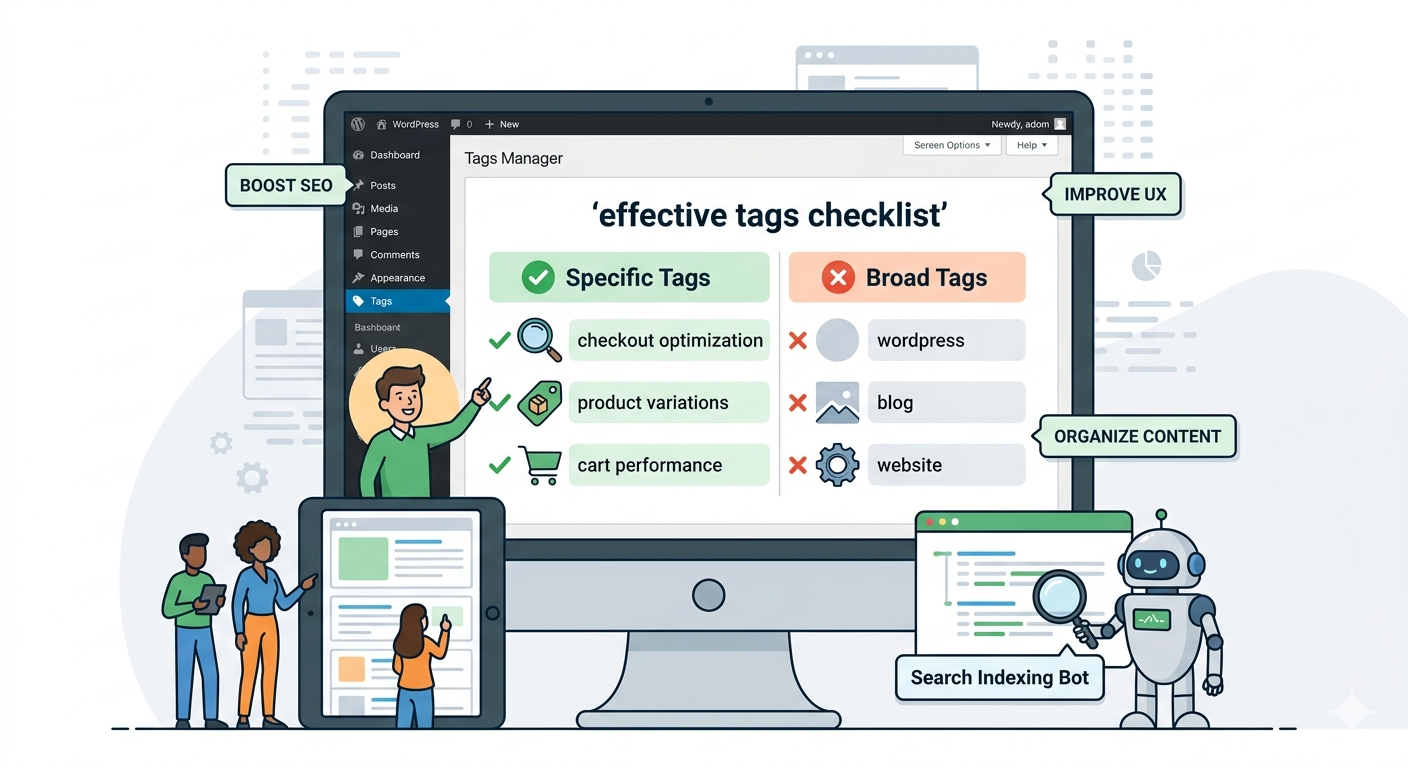
| Category | WooCommerce Tips |
| Tags | checkout optimization, product variations, cart performance |
These precise tags help visitors find related content quickly while improving internal linking and SEO.
Why Proper Tag Usage Matters
Well-structured tags deliver three clear benefits:
- Boost SEO — Search engines use tags to understand post topics and internal content relationships.
- Improve user experience — Visitors can click tags to explore similar posts without endless scrolling.
- Organize content — Clear, specific tags prevent your blog from feeling cluttered or repetitive.
Common Tagging Mistakes to Avoid
Before getting into best practices, here are the three mistakes that trip up most WordPress sites:
- Too broad or generic — Tags like “wordpress” or “blog” don’t provide real value to anyone.
- Too many tags — Stick to 5–8 relevant tags per post. More is not better.
- Duplicating categories — Tags should complement categories, not mirror them.
Avoiding these three keeps your site neat, readable, and SEO-friendly.
How to Use Tags Effectively
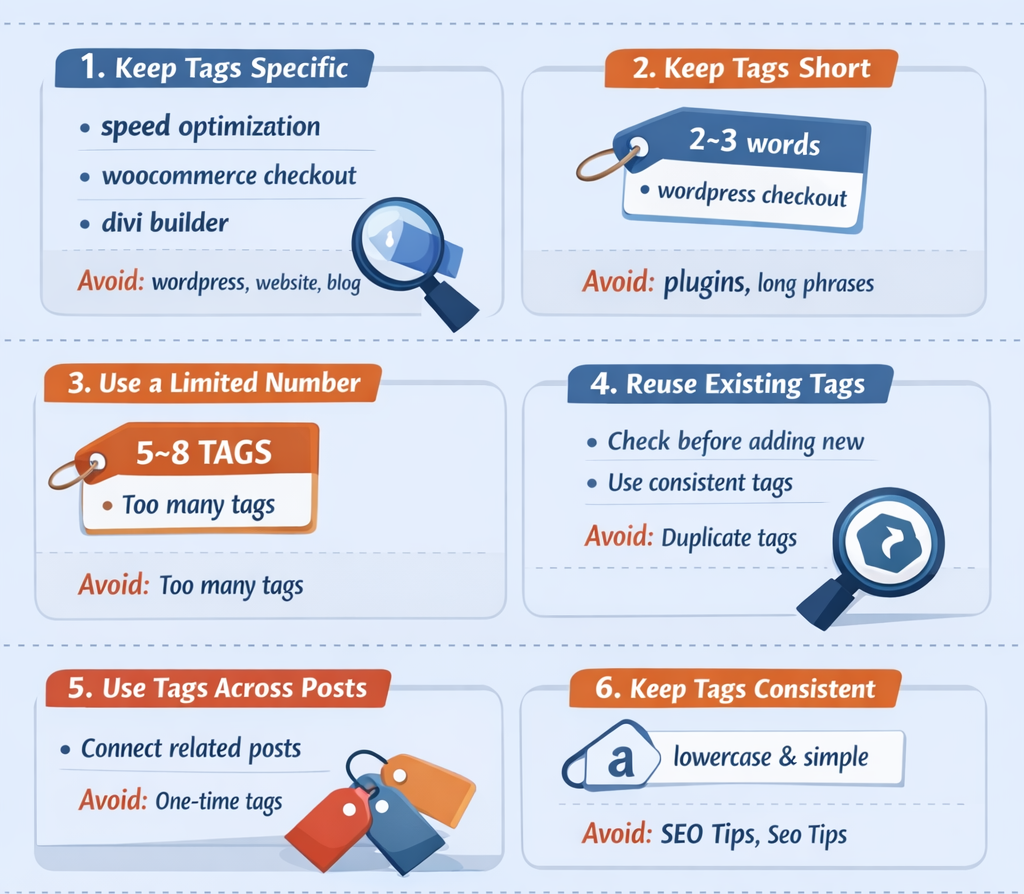
1. Keep tags specific
Tags should describe precise topics, features, or problems — not general concepts.
✅ Good: speed optimization · woocommerce checkout · divi builder
❌ Avoid: wordpress · website · blog
2. Keep tags short — 2 to 3 words
Concise tags are easier to read, scan, and reuse across posts.
✅ Good: wordpress checkout · page speed
❌ Avoid: single words like plugins, or long phrases like how to fix wordpress speed issue
Two to three words is the sweet spot.
3. Limit tags per post to 5–8
Fewer, more focused tags are more effective than a long list of loosely related ones.
✅ Good: pick the most relevant tags only
❌ Avoid: adding 15–20+ tags per post

4. Reuse existing tags before creating new ones
Consistency is what gives your tag system long-term value. Before adding a tag, check whether one already exists that covers the same ground.
✅ Good: use the same tag consistently across posts
❌ Avoid: creating near-identical variations like seo tips, seo guide, and seo tricks for the same concept
5. Only use tags that connect multiple posts
A tag that appears on only one post creates a dead-end page with no real value — for readers or for Google.
✅ Good: tags that appear across three or more related posts
❌ Avoid: tags used only once — remove them if they never grow
6. Keep formatting consistent
Pick a format and never deviate from it. Inconsistent formatting splits your content groupings and creates duplicate tag pages.
✅ Recommended: lowercase, simple spacing, no symbols — seo tips, page speed
❌ Avoid: mixed formats like SEO Tips, Seo tips, seo Tips — these are treated as separate tags
7. Don’t duplicate your category names as tags
Tags should go deeper than categories, not repeat them.
✅ Good:
- Category:
SEO & Marketing - Tags:
keyword research,content marketing,conversion optimization
❌ Avoid:
- Category:
WordPress Themes - Tag:
wordpress theme← redundant, adds nothing
Quick Reference: Before You Add a Tag, Ask Yourself
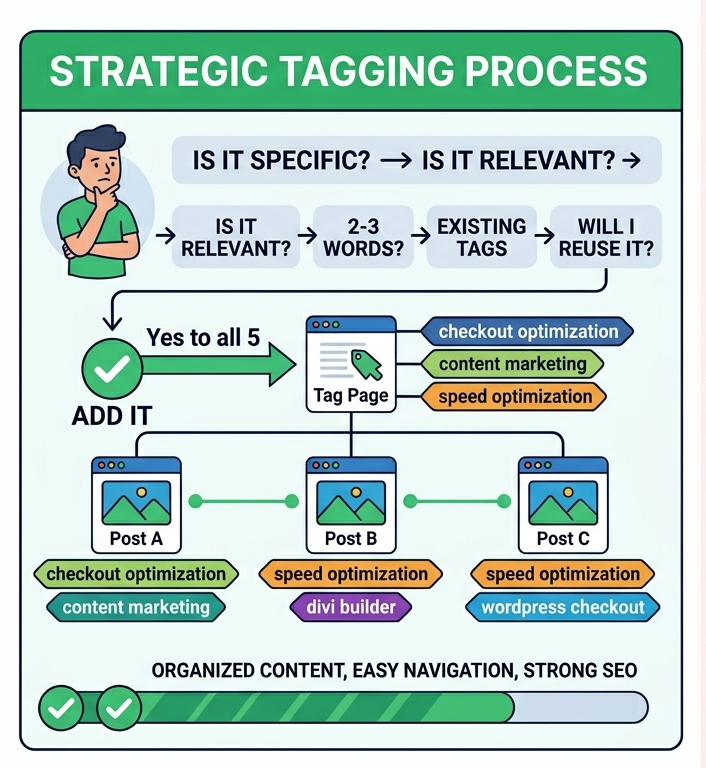
| Question | What to check |
|---|---|
| Is it specific? | Does it describe a precise topic, not a broad one? |
| Is it relevant? | Does it directly relate to this post’s content? |
| Is it 2–3 words? | Is it concise and easy to read? |
| Is it already in use? | Does it exist on at least one other post? |
| Will I reuse it? | Can you name other posts that would share this tag? |
✅ Yes to all five → add it.
❌ No to any → skip it or rethink it.
Example: Smart Tagging in Practice
Post title: “Improve WooCommerce Checkout Speed”
| Category | WooCommerce Tips |
| Tags | checkout optimization, speed optimization, payment gateway |
Each tag here is specific, concise, reusable across other posts, and genuinely useful for both readers and search engines. That’s the standard to aim for.
Wrapping Up
Mastering tags isn’t just about SEO — it’s about creating a smoother, more enjoyable experience for your readers. A lean, well-structured tag system makes your content easier to discover, your site easier to navigate, and your SEO stronger over time.
Follow this WordPress Tags Guide, and your content will be organized, searchable, and easy to navigate for both visitors and search engines alike.



Leave a Reply