
Well learn how to get free SSL for our WordPress site.
As most of you guys are not a technical person so I will share a very simple way to get free SSL for your WordPress site. Its the most effective way too 🙂
Why do we need SSL for our website?
Most importantly the purpose of SSL certificate is to keep encrypted sensitive information sent across the Internet. When an SSL certificate is active on a site, information of the site becomes hard to read without the server you send to.
Google announced in August 2014 that adding an SSL certificate on a Website can get you SEO benefit if the site has no checkout page even.
Most importantly its essential for the online store to install an SSL certificate. If you manage WooCommerce store, you probably know that major payment gateway doesnt work like the stripe on checkout page.
How to get free SSL from CloudFlare.
First of all, if you dont have any account on CloudFlare, please make an account here.
And then youll see an interface will come and an option at the right side of the menu bar called + add site. Click on that and paste your site URL in the field.
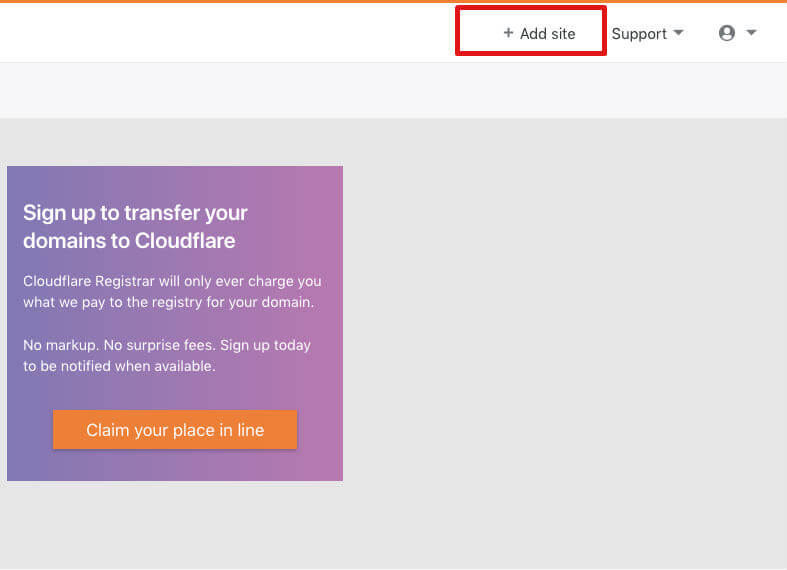
Finally, click on Add site button. If everything goes well then you should be redirected to dashboard where you can manage your site.

The interface should look like this ( screenshot given below )
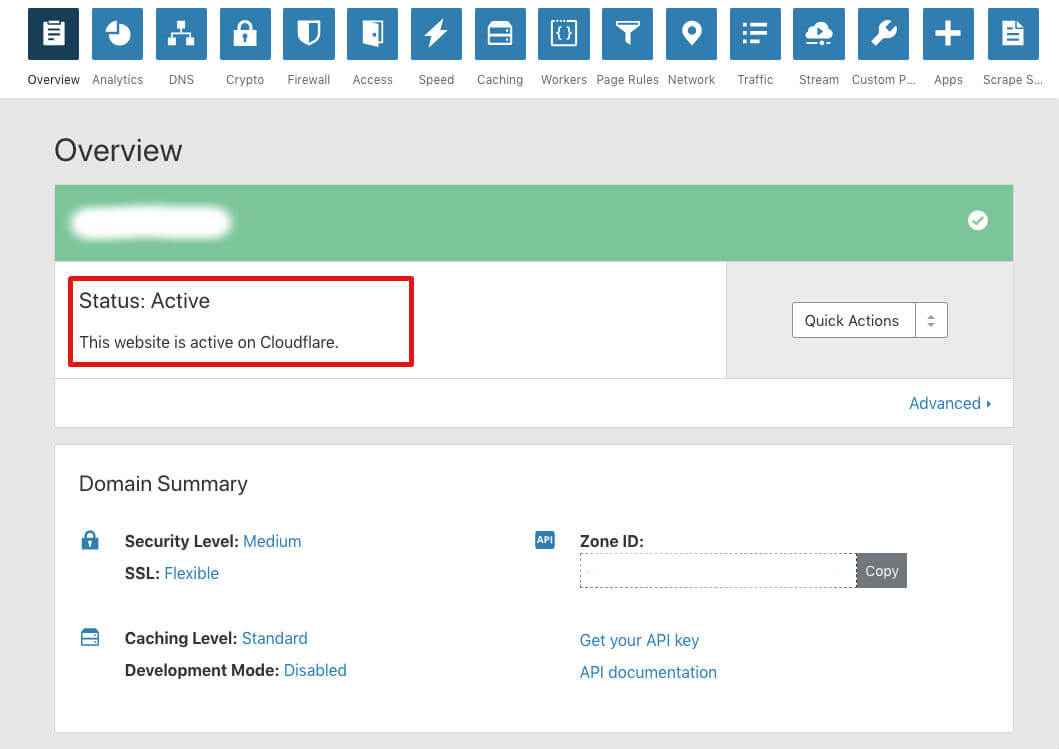
Go to crypto page from menu bar and from right dropdown menu select Flexible ( if its not selected ). If you scroll down a bit then youll see an option called Always use HTTPS, just turn it on.

Scroll down a little bit more youll see an option called Automatic HTTPS Rewrites, turn it on as well. Because itll automatically rewrite all of http with https, so if you have a link with http you dont have to worry about it, because itll rewrite that.

Note: it may take up to 24 hours after the site becomes active on Cloudflare for new certificates to issue.
So after 24 hours, if you go to the crypto page youll see your status of SSL Active.

After that please log in to your WordPress site, and install a plugin called CloudFlare Flexible SSL by iControlWP.
After installing the plugin just activate it. Thats it.
Youre good to go.
Most importantly: If you still found any issue please feel free to share. You can share by comment section below.


WOW just what I was looking for.
Incredible points. Outstanding arguments. Keep up the amazing spirit.
Hi, i think that i saw you visited my weblog thus i
came to “return the favor”.I am attempting to find things to enhance my site!I suppose its ok to use some of your ideas!!