
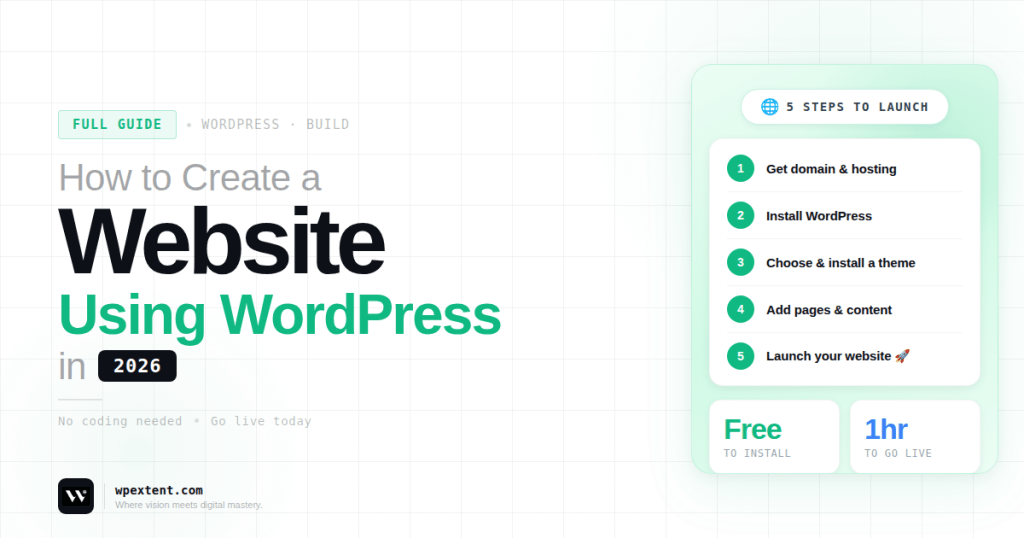
Creating a website in 2026 is easier than ever—but building a professional, fast, and SEO-friendly website still requires the right approach.
WordPress remains the most popular platform for building websites because it offers flexibility, scalability, and full control. Whether you want to create a business website, blog, portfolio, or online store, WordPress can handle it all.
In this step-by-step guide, you’ll learn how to create a website using WordPress in 2026, even if you have no technical experience.
By the end, you’ll have a clear roadmap to launch your own website successfully.
Step 1: Choose a Domain Name
Your domain name is your website’s address (for example: yourbusiness.com).
Choose a domain that is:
- Short and easy to remember
- Relevant to your brand or business
- Easy to spell
- Unique
A strong domain name helps build brand recognition and trust.
Step 2: Buy Web Hosting
Web hosting is where your website lives online.
A good hosting provider ensures:
- Fast loading speed
- High uptime
- Strong security
- Easy WordPress installation
Many hosting providers offer one-click WordPress installation, making setup simple for beginners.
Step 3: Install WordPress
After purchasing hosting, install WordPress.
Most providers allow you to do this with one click.
Once installed:
- Visit yourdomain.com/wp-admin
- Log in to your dashboard
- Start building your website
The dashboard is your control panel for managing everything.
Step 4: Choose a WordPress Theme
Your theme controls the design and layout of your website.
You can:
- Use free themes
- Buy premium themes
- Create a custom design
When selecting a theme, look for:
- Mobile responsiveness
- Fast performance
- Customization options
- Clean design
A good theme ensures your website looks professional.
Step 5: Customize Your Website
After installing your theme, customize it to match your brand.
You can adjust:
- Colors
- Fonts
- Logo
- Layout
- Header and footer
Go to Appearance → Customize to make changes.
A consistent design builds trust and improves user experience.
Step 6: Install Essential Plugins
Plugins add functionality to your website.
Some essential plugin categories include:
- SEO plugins
- Security plugins
- Backup plugins
- Performance optimization tools
- Contact form plugins
Plugins help you enhance your website without coding.
Step 7: Create Important Pages
Every website needs some core pages.
Start with:
- Home page
- About page
- Services page
- Contact page
Make sure your content is:
- Clear
- Easy to read
- Focused on your audience
You can later expand your site with blog posts.
Step 8: Set Up Your Website Menu
Menus help users navigate your website.
To create a menu:
- Go to Appearance → Menus
- Add pages
- Arrange menu items
- Assign menu location
Keep your menu simple and organized.
Step 9: Optimize for SEO
SEO helps your website rank on search engines.
Basic SEO steps include:
- Use an SEO plugin
- Write keyword-optimized titles
- Add meta descriptions
- Use headings properly (H1, H2, H3)
- Optimize images
You can also include internal anchor phrases like:
- Learn more about our SEO services
- Explore our website development solutions
- Discover our digital marketing strategies
This improves both SEO and user navigation.
Step 10: Make Your Website Mobile-Friendly
Most users browse websites on mobile devices.
Ensure your website is:
- Responsive
- Easy to navigate on mobile
- Fast-loading
A mobile-friendly site improves both user experience and rankings.
Step 11: Improve Website Speed
Speed is a critical factor in 2026.
To improve performance:
- Compress images
- Use caching plugins
- Choose fast hosting
- Minimize unnecessary plugins
A faster website keeps users engaged and reduces bounce rates.
Step 12: Secure Your Website
Security is essential for protecting your website.
Basic steps include:
- Use strong passwords
- Install security plugins
- Enable SSL (HTTPS)
- Keep everything updated
A secure website builds trust with visitors.
Step 13: Test Before Launch
Before going live, test your website.
Check:
- All pages and links
- Contact forms
- Mobile responsiveness
- Loading speed
- Browser compatibility
Fix any issues before launching.
Step 14: Launch Your Website
Once everything is ready, launch your website.
After launching:
- Monitor traffic
- Track performance
- Fix issues quickly
Your website is now live and ready to grow.
DIY vs Hiring a Professional Agency
DIY Website
Pros:
- Lower cost
- Full control
Cons:
- Time-consuming
- Limited expertise
- Risk of mistakes
Hiring a Digital Agency
Pros:
- Professional design
- SEO optimization
- Better performance
- Faster results
An all-in-one agency like WebExtent provides:
- Website design and development
- SEO optimization
- Lead generation
- Graphic design and logo design
- Complete digital solutions
You can explore their services here: https://wpextent.com/
This ensures your website is not just built—but optimized for growth, conversions, and long-term success.
Common Mistakes to Avoid
Avoid these common beginner mistakes:
- Choosing a poor-quality theme
- Installing too many plugins
- Ignoring SEO
- Not optimizing for mobile
- Skipping backups
Avoiding these mistakes saves time and improves results.
Conclusion
Creating a website using WordPress in 2026 is easier than ever—but building a successful website requires the right strategy.
By following this step-by-step guide, you can:
- Build your website from scratch
- Customize it to match your brand
- Optimize it for SEO and performance
- Launch it with confidence
If you want faster and more professional results, working with an experienced agency like WebExtent can help you create a high-performing website that drives real business growth.
Start today, stay consistent, and your website can become a powerful asset for your success.


Leave a Reply