
If you’ve recently started a WordPress website, chances are you’ve already heard the name Yoast SEO floating around. But here’s the honest truth — most beginners install the plugin and then just stare at the red and orange dots, not knowing where to begin.
Don’t worry. In this Yoast SEO guide, I’ll walk you through everything from scratch — what the plugin actually does, how to set it up, and the exact steps to turn those red dots green. By the end, you’ll feel genuinely confident about optimizing your WordPress posts.
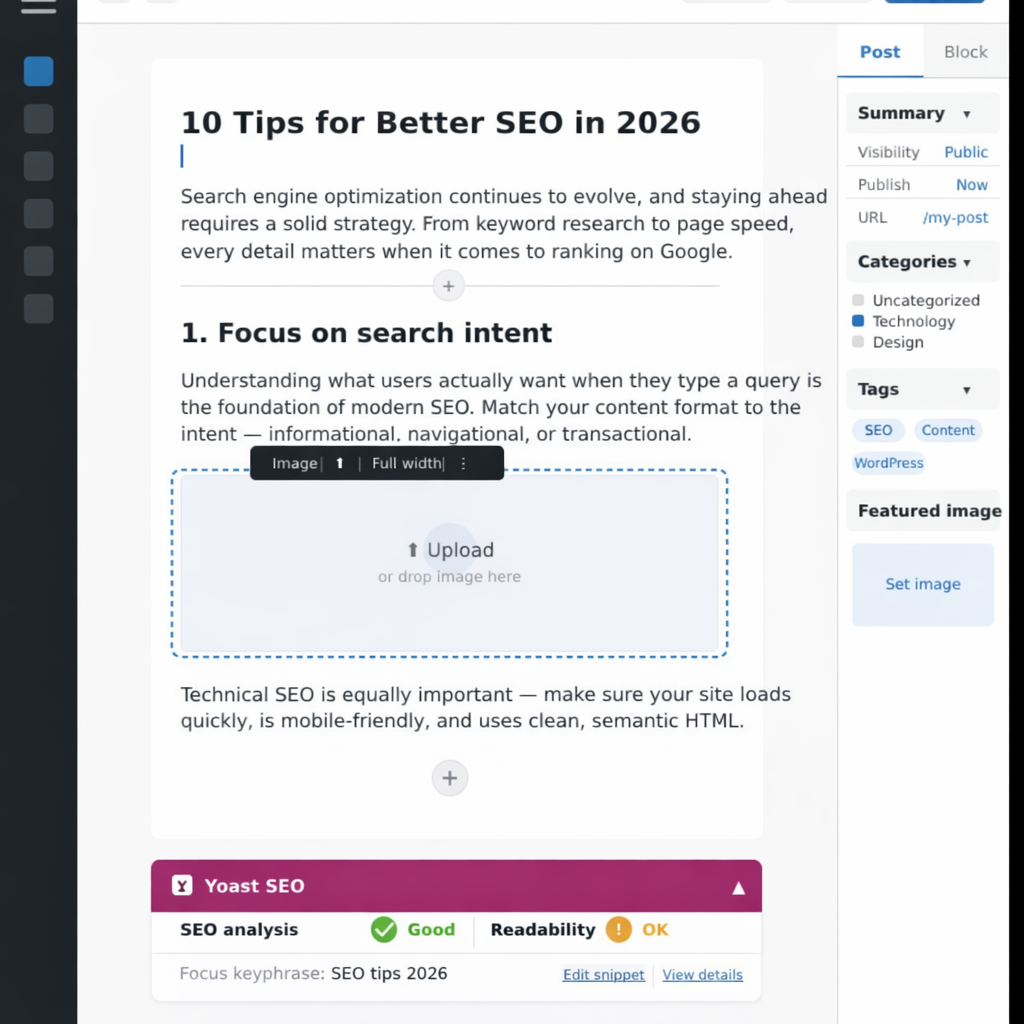
What Exactly Is Yoast SEO?
Yoast SEO is a WordPress plugin that helps you optimize every page and post on your site so search engines — especially Google — can understand and rank your content better.
Think of it as your personal SEO coach sitting right inside your WordPress editor. As you write, it checks your content in real time and gives you specific, actionable feedback. You don’t need any prior SEO knowledge to follow its guidance. That’s exactly why it’s become the most popular SEO plugin in the world, with over 10 million active installations.
Why Should You Actually Use It?
There are dozens of SEO plugins out there, so why Yoast? Here’s the simple answer: it removes the guesswork. Instead of wondering whether you’ve used your keyword enough, or if your meta description is too long, Yoast tells you directly — in plain language.
Beyond that, it handles several technical SEO tasks automatically, like generating XML sitemaps and adding the right structured data to your pages. In other words, you get both beginner-friendly guidance and behind-the-scenes automation in one place.
Therefore, whether you’re writing your first blog post or your hundredth, Yoast SEO consistently helps you publish smarter content.
Key Features You Need to Know
Focus Keyphrase
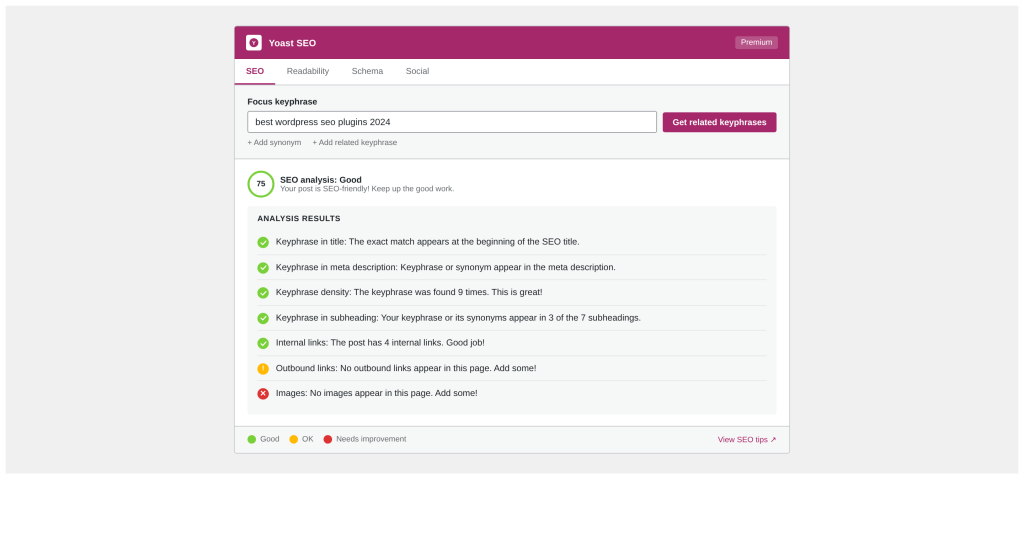
This is the single most important feature. You type in the main keyword you want your post to rank for, and Yoast checks whether you’ve used it in the right places — your title, the first paragraph, at least one subheading, and your meta description.
As a result, your content stays focused and relevant, which is exactly what Google rewards.
SEO Score (The Traffic Light System)
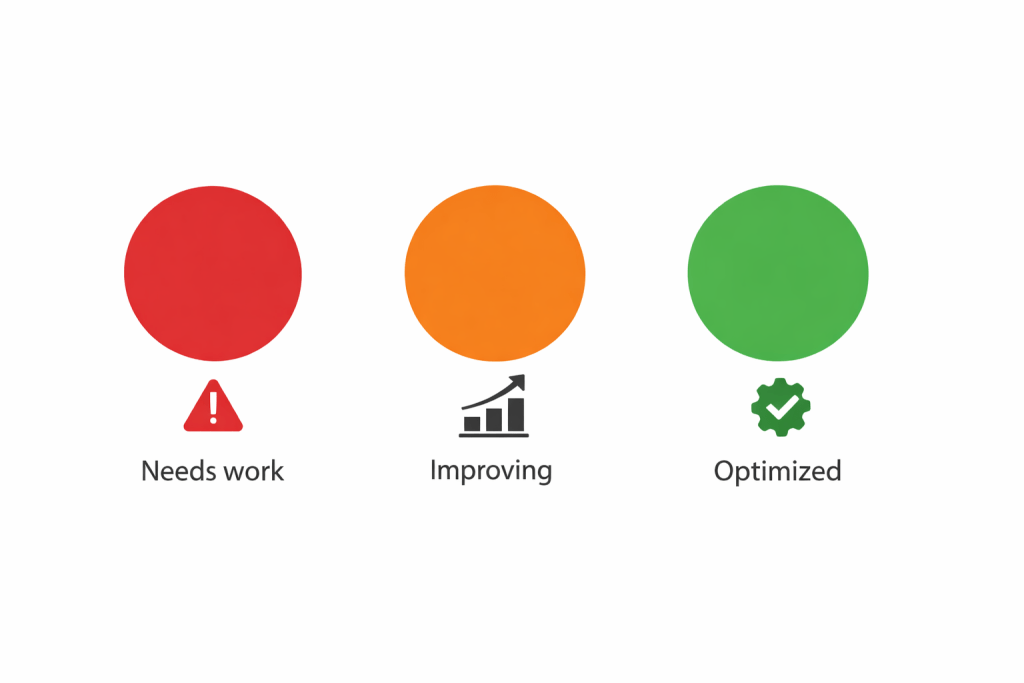
Yoast uses a simple color system to grade your content at a glance:
- Red — There’s a serious issue you need to fix right away.
- Orange — Your content is okay, but there’s clear room to improve.
- Green — You’re in good shape. Your content is well optimized.
This makes it incredibly easy to spot problems without needing to interpret complex data.
Readability Analysis
Good SEO is only half the battle — your content also needs to be easy to read. Yoast checks things like sentence length, paragraph size, passive voice usage, and whether you’re using enough transition words (like “however,” “therefore,” and “in addition”) to connect your ideas smoothly.
Consequently, your readers stay engaged longer, which also signals to Google that your content is genuinely useful.
Custom SEO Title and Meta Description
Yoast lets you write a custom title and description that appears in Google search results. This gives you control over the first impression your page makes — and a well-written meta description can significantly improve how many people actually click through to your site.
How to Use Yoast SEO: Step by Step
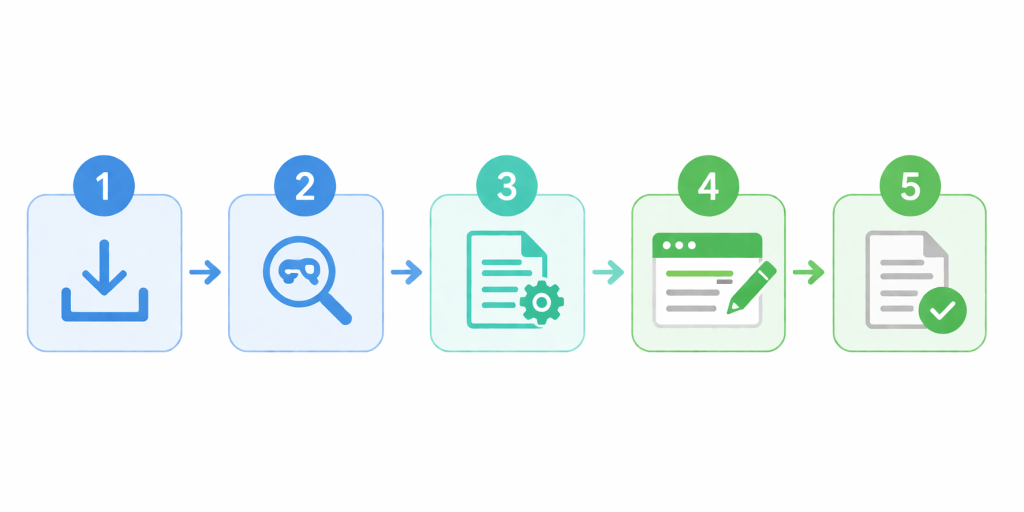
Step 1 — Install the Plugin
Go to your WordPress dashboard and navigate to Plugins → Add New. Search for “Yoast SEO”, then click Install and Activate. The setup wizard will walk you through the initial configuration in a few simple steps.
Step 2 — Set Your Focus Keyphrase
Open any post or page in your editor. Scroll down to the Yoast SEO panel and type your target keyword into the “Focus keyphrase” field. Choose a keyword that people actually search for — something specific but not too broad.
Step 3 — Optimize Your Content
Follow the checklist Yoast generates. The most important items are: use your keyword naturally in the first paragraph, include it in your page title, and mention it in at least one subheading. Yoast will check these for you automatically.
Step 4 — Write a Strong Meta Description
In the Yoast preview snippet below your post, write a meta description between 120 and 156 characters. It should clearly explain what the page is about and include your focus keyword. Think of it as your ad copy in Google results.
Step 5 — Check Readability
Switch to the Readability tab in Yoast. Aim for short sentences (under 20 words), clear paragraphs, and transition words in at least 30% of your sentences. Green dots across the board are the goal.
Pro Tips That Actually Make a Difference
- Stick to one focus keyword per post — targeting multiple keywords dilutes your optimization.
- Use your keyword naturally in the first 100 words of your post.
- Add internal links to two or three related posts. It helps both users and Google explore your site.
- Always add descriptive alt text to your images — it’s easy to overlook but matters for SEO.
- Keep paragraphs short (2–4 sentences max). Long blocks of text push readers away.
- Don’t stuff your keyword everywhere — write naturally and let Yoast guide the balance.
Free vs. Premium — Which One Do You Need?
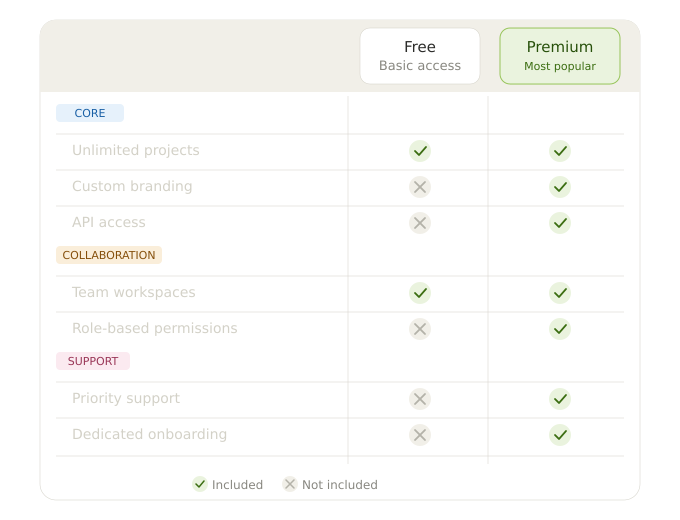
The free version of Yoast SEO covers everything a beginner needs. You get keyword optimization, readability analysis, meta title and description controls, XML sitemaps, and breadcrumb navigation. That’s a lot for zero cost.
The premium version adds useful extras — like the ability to optimize for multiple keywords, AI-generated meta descriptions, and automatic internal linking suggestions. However, these features are more useful once your site starts growing and you’re publishing consistently.
The bottom line: start free. Upgrade when you feel limited.
Conclusion — Start Small, Stay Consistent
Yoast SEO won’t magically push your website to the top of Google overnight — and any tool that promises that is lying. What it will do is give you a reliable, structured process for writing content that’s both useful to readers and discoverable by search engines.
The key is consistency. Every time you publish, use Yoast to check your keyword usage, readability, and meta details. Over time, those small improvements compound into real results.
So install Yoast SEO today, open your next draft, and follow the checklist. That’s all it takes to get started.
Subscribe to Us on YouTube
Get exclusive tutorials, behind-the-scenes content, and expert insights delivered directly to your feed.
We Are Available On:
Facebook:
https://facebook.com/webextent.net/
Instagram:
https://www.instagram.com/webextentofficial/
Twitter (X):
https://twitter.com/WebExtent



Leave a Reply