
Most WooCommerce store owners do the same thing when sales slow down: they chase more traffic—through ads, blog content, and social media. But here is the uncomfortable truth — if your store has a WooCommerce conversion problem, sending more visitors to a broken funnel simply means more people leave without buying.
According to industry benchmarks, the average eCommerce conversion rate sits between 1% and 3%. That means up to 99 out of every 100 visitors you are paying to attract walk away empty-handed. The issue is not your audience size. The problem lives inside your store.
Traffic without conversion is just noise.
Before you spend another cent on ads or SEO, it is worth asking a harder question: why aren’t the people already visiting your store actually buying? That question is where growth starts.
The Traffic Myth That Is Costing You Money
It is easy to believe that more traffic equals more sales. After all, that is how most marketers frame it. More eyeballs should mean more customers — at least in theory. So naturally, that is where store owners pour their budgets.
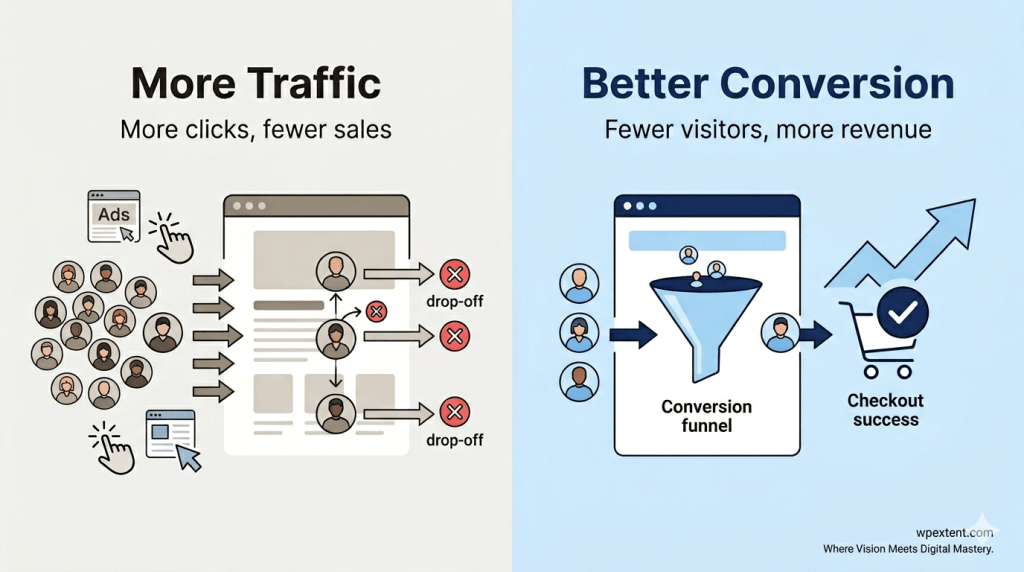
But here is the problem with that logic: traffic is just the beginning of the story. Think about it this way. If a physical shop had a broken entrance, a confusing layout, and no staff to assist customers, would putting up more billboards fix anything? Of course not. Yet that is exactly what most WooCommerce stores do — they invest heavily in driving visitors to a storefront that was never designed to convert them.
Clicks don’t pay bills. Customers do.
Traffic without a high-converting store is like pouring water into a bucket full of holes. You can keep filling it, but the leak will always win. The smarter move is to fix the holes first.
The mindset shift you need to make is simple: stop asking how you can get more visitors and start asking why your existing visitors are not buying.
The Real Problem: Your WooCommerce Conversion Funnel Is Leaking
Every online store operates on a funnel. Visitors land on your site, explore your products, add items to their cart, move through checkout, and — ideally — complete a purchase. At each stage of that journey, some people drop off. That is normal and expected.
But when too many people drop off at the same stage, you have a conversion leak. And a leaking funnel is quietly costing you far more than any algorithm update or ad budget issue ever could.
Here is how the journey typically looks:
- Visitor lands on your store
- Visitor browses to a product page
- Visitor adds an item to their cart
- Visitor reaches checkout
- Visitor completes the purchase
The goal is not to plug every leak perfectly. The goal is to identify where the biggest drops are happening, understand why, and reduce them systematically. Most stores have significant leaks in three or four places simultaneously — and that compounds the loss dramatically.
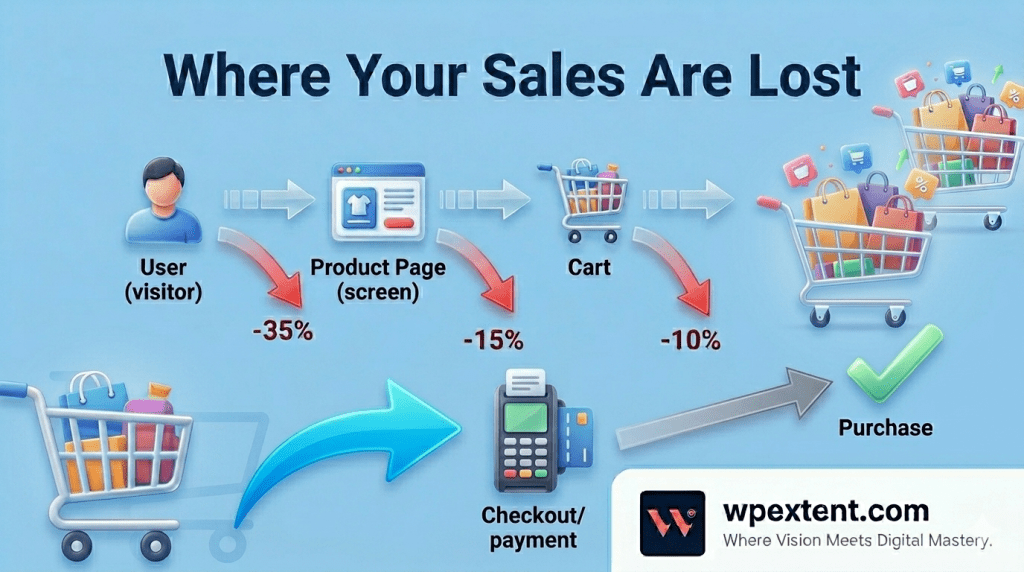
Where You Are Losing Sales — And Why
Product Page Issues
Your product page is doing the heavy lifting in every purchase decision. If it fails to persuade, everything else becomes irrelevant. And most WooCommerce product pages fail in the same predictable ways.
Lack of clarity is the first killer. If a visitor cannot immediately understand what you are selling, what it does, and why they need it, they leave. Vague titles, generic descriptions, and mismatched expectations between your ad and your landing page create instant doubt.
Weak copy is the second problem. Product descriptions that list features without explaining benefits leave shoppers cold. People do not buy products — they buy outcomes. “Stainless steel water bottle” tells them what it is. “Keeps your drink ice-cold for 24 hours, even on the hottest days” tells them why it matters.
No persuasive structure is the third failure. High-converting product pages follow a rhythm: a compelling headline, a clear benefit statement, strong social proof, objection handling, and a confident call to action. Without that structure, the page feels flat — and flat pages do not convert.
A product page that confuses is a product page that loses.
Trust Problems
Trust is the invisible currency of eCommerce. You can have the best product in the world, but if your store does not feel credible, no one is handing over their payment details.
The most common trust failures on WooCommerce stores include:
- No reviews or testimonials — an empty review section signals nobody has bought from you, or worse, that you hide feedback.
- No visible proof — missing trust badges, payment security icons, and return policy notices leave shoppers anxious.
- Low overall credibility — outdated design, broken links, mismatched imagery, and typos all add up to one impression: this store is not legitimate.
First impressions form in milliseconds. Once trust is broken, it is almost impossible to recover within a single session.
Checkout Friction
Even when someone is ready to buy, you can still lose them at checkout. Industry data consistently puts cart abandonment rates at around 70%. That means the majority of people who intend to purchase never finish. Here is why:
- Complicated steps — every extra click or form field between cart and confirmation is an opportunity to lose the sale.
- Hidden costs — a shopper adds a $40 item, then sees $12 in fees at checkout. That surprise almost always ends in abandonment.
- Forced account creation — requiring registration before purchase is friction nobody asked for. Guest checkout is not optional. It is essential.
Checkout is not where the sale starts — it is where the sale is lost.
Mobile Experience
More than 60% of eCommerce traffic now comes from mobile devices. Yet most WooCommerce stores are still designed and tested primarily on desktop. That mismatch is a major, ongoing conversion problem.
Slow speed is the most brutal offender. A page that takes more than three seconds to load on mobile loses a significant portion of visitors before they even see your product. Every extra second of load time costs you real conversion rate points.
Poor UX compounds the damage. Buttons too small to tap accurately, images that do not resize correctly, text requiring horizontal scrolling — all of these create friction that drives mobile shoppers directly to your competitors.
Navigation issues make product discovery unnecessarily hard. If customers cannot filter, search, or browse comfortably on their phones, they will simply find a store that makes it easier.
How to Fix Your WooCommerce Conversion Problem
The good news is that most WooCommerce conversion problems are fixable without a complete redesign. Here is where to start:
- Step 1: Audit your funnel with data.
Use tools like Google Analytics or a heatmapping platform to see exactly where visitors are dropping off. Gut instinct is unreliable here — data gives you certainty and direction.
- Step 2: Rewrite your product descriptions.
Focus on benefits over features. Write for the person who has a problem your product solves. Use short, active sentences and specific language that helps them imagine owning and using the product.
- Step 3: Add and prominently display social proof.
Send post-purchase emails asking for reviews. Place star ratings and testimonials directly on product pages, not buried on a separate testimonials page nobody visits.
- Step 4: Streamline your checkout.
Enable guest checkout immediately. Reduce form fields to the bare minimum. Show the total cost including shipping as early as possible in the journey. Consider a single-page checkout layout.
- Step 5: Improve your mobile speed and UX.
Compress images. Enable caching. Use a fast, mobile-first WooCommerce theme. Then walk through your entire purchase process on an actual mobile device — not just a resized browser window.
What We See at WPExtent
After working with WooCommerce stores across industries and growth stages, certain patterns show up again and again. At WPExtent, we focus on fixing conversion before chasing traffic — and that perspective reveals problems most store owners never notice because they are too close to their own business.
The most common mistake we observe is treating conversion optimization as a one-time project. Store owners make a few changes, see a slight improvement, and move on. But improving WooCommerce conversion is an iterative process. What works today may need refinement in six months as your audience evolves or your product catalogue grows.
At WPExtent, we focus on fixing conversion before chasing traffic.
We also notice that stores with the most significant conversion problems share one trait: nobody has ever walked through the buying experience as a first-time visitor with zero prior knowledge and healthy skepticism. The founders know the product inside out — but they have forgotten what it feels like to discover it for the first time.
Another consistent observation: stores that invest heavily in new traffic while ignoring their existing visitor behavior tend to plateau. They keep paying more to acquire customers while their underlying conversion rate stays flat — which means rising costs and shrinking margins over time.
The stores that grow sustainably are the ones that treat every existing visitor as valuable and work to earn their business through clarity, trust, and a frictionless experience.
The Mindset Shift That Changes Everything
Here is an opinion worth defending: conversion rate optimization is the highest-leverage activity most WooCommerce store owners are ignoring entirely.
Consider the math. If your store converts at 1% and you improve that to 2%, you have doubled your revenue — without spending a single extra dollar on traffic. Now compare that to doubling your ad spend to double your visitors. Same revenue result, completely different cost profile.
Traffic is rented. Conversion improvements are owned.
When you optimize your funnel, every marketing channel becomes more efficient at the same time. Ads start generating higher returns, while organic traffic converts better. Email campaigns also drive more purchases. As a result, everything begins to compound in your favor.
But none of that happens if you keep treating traffic as the cure for a problem that lives inside your store.
The shift is not complicated. It is a decision to look inward before you look outward — to fix what is broken before you pour more fuel into the engine.
Frequently Asked Questions
What is a good WooCommerce conversion rate?
A typical WooCommerce conversion rate falls between 1% and 3%. However, stores with strong product-market fit, excellent user experience, and a well-optimized checkout regularly achieve 3% to 5% or higher. If you are below 1%, your store almost certainly has significant friction points worth addressing before investing further in traffic acquisition.
How do I find where my WooCommerce store is losing customers?
Start by setting up funnel tracking in Google Analytics or a comparable analytics platform. Look at drop-off rates at each stage: product page, cart, and checkout. Heatmapping tools can also reveal how real users interact with your pages, including where they stop scrolling and what they click — or fail to click.
Does site speed really affect WooCommerce conversion rates?
Absolutely. Research consistently shows that even a one-second delay in page load time can meaningfully reduce conversions. Mobile users are especially unforgiving. Compressing images, enabling a caching plugin, and choosing fast WooCommerce hosting are among the highest-impact speed improvements available to most store owners.
Why is my WooCommerce cart abandonment rate so high?
High cart abandonment typically comes down to three culprits: unexpected costs at checkout (particularly shipping fees revealed late in the process), a complicated or lengthy checkout flow, and a lack of trust signals on the checkout page. Enabling guest checkout, displaying total costs early, and adding security badges can all drive meaningful improvements in completion rates.
Should I offer guest checkout in WooCommerce to improve conversion?
Yes — without question. Forcing account creation before purchase is one of the most unnecessary friction points in eCommerce. Many customers will not create an account on a first purchase, especially from a store they have never bought from before. WooCommerce makes it straightforward to enable guest checkout, and doing so consistently ranks among the easiest conversion wins available.
How often should I review my WooCommerce conversion rate?
At minimum, review your conversion rate monthly. If you are running promotions or making significant changes to your store, check weekly. The goal is to establish a clear baseline and then track how changes affect performance over time. Conversion optimization for WooCommerce is not a one-time project — it is an ongoing discipline that compounds over time.
Can product page copy really impact WooCommerce sales that much?
More than most store owners realize. Poor descriptions, vague benefit statements, and missing social proof are major conversion barriers. Customers cannot physically touch or try your product, so your copy and imagery are doing the work that an in-store experience would otherwise handle. Invest in benefit-focused descriptions and quality photography, and the data will show you the difference.
Conclusion
Your WooCommerce store probably does not need more traffic. It needs a harder, more honest look at what happens to the traffic it already has. The WooCommerce conversion problem is not rare — it is nearly universal. And it is almost always solvable.
Start with your funnel. Fix your product pages. Earn trust through proof and transparency. Remove checkout friction ruthlessly. Respect your mobile users. Measure everything. Then iterate and keep going.
Because the store that wins does not always have the most visitors. It has the best experience. And that is entirely within your control.
Stop chasing more visitors. Start converting the ones you already have.
Follow WPExtent for More Insights
Get practical WooCommerce tips, conversion strategies, and real-world insights to grow your online business.
We Are Available On:
Instagram:
https://www.instagram.com/thewpextent
Twitter (X):
https://x.com/TheWPExtent
Reddit:
https://www.reddit.com/user/WPExtent/


Leave a Reply