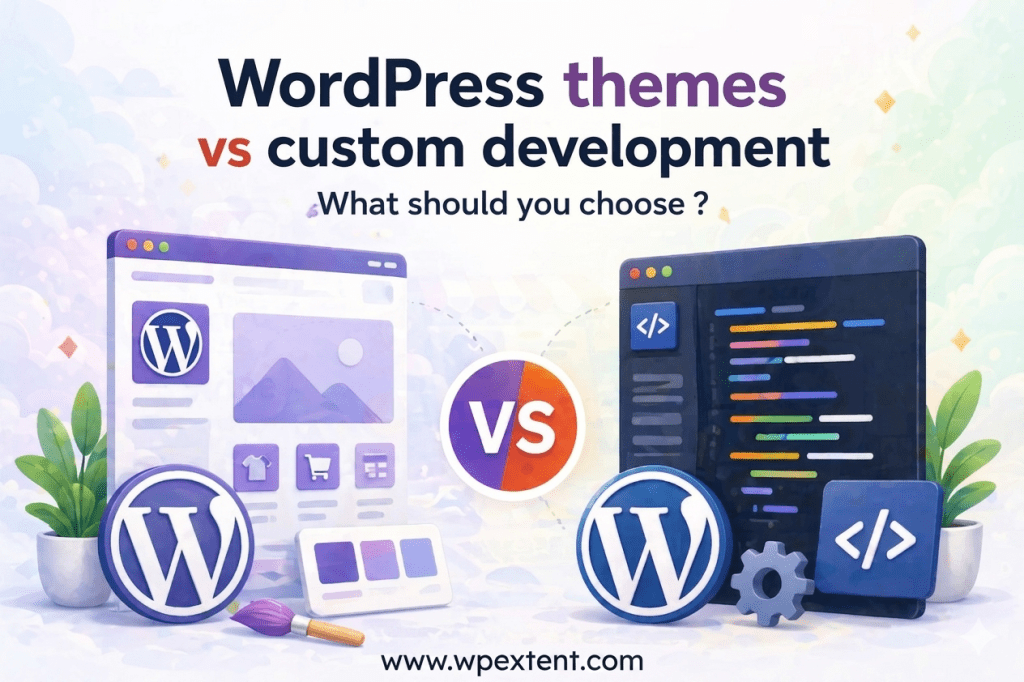
WordPress powers 43.5% of all websites on the internet—an astonishing market share that reflects the platform’s unmatched flexibility. But with that flexibility comes a critical decision: custom WordPress development vs themes—which approach is right for your website? This choice directly impacts your site’s performance, scalability, SEO, and long-term success. Choose wrong, and you may face wasted budget, painful migrations, and missed growth opportunities.
Ask ten developers and you’ll get ten different answers. Ask a business owner who made the wrong call, and you’ll get a candid story about wasted budget, painful migrations, and missed opportunities. This guide cuts through the noise, using real-world data, performance benchmarks, and a clear decision framework to help you confidently choose the right approach for your project.
43.5%
of all websites run on WordPress (2025)
11,000+
free & premium themes in the WordPress repository
3×
faster median load time: custom vs bloated themes
Understanding the WordPress Landscape in 2025
WordPress has evolved dramatically. The introduction of the Gutenberg block editor, the maturation of the Full Site Editing (FSE) experience, and the explosion of page builder ecosystems like Elementor and Bricks have blurred the lines between “theme” and “custom development” more than ever before.
Today, a “theme” might be a lightweight FSE theme shell containing just a handful of template files — or it could be a 14,000-file, 6MB monolith bundled with three different page builders. Similarly, “custom development” might mean a fully bespoke theme coded from scratch, a custom child theme on top of a premium parent, or a headless WordPress setup serving a React front end.
Pro Insight: The most important question isn’t “custom or theme?” — it’s “what does my business actually need from its website in the next 3–5 years?” Start there, then work backward to the technical decision.
This nuance matters because it shapes every downstream decision: budget, timeline, team requirements, maintenance overhead, and long-term scalability. Let’s define our terms precisely before drawing comparisons.
What Is Custom WordPress Development?
Custom WordPress development refers to building a website — or a significant portion of it — through original code written specifically for that project. This typically includes one or more of the following:
- Custom theme development: A WordPress theme built entirely from scratch, with no commercial theme as a parent or starting point. Every template, style, and interaction is purpose-engineered.
- Custom plugin development: Bespoke functionality that doesn’t exist in the plugin ecosystem, built specifically to solve a business problem.
- Custom child theme development: A child theme that significantly overrides and extends a lightweight, standards-compliant parent theme (e.g., underscores/_s).
- Headless WordPress: Using WordPress purely as a back-end CMS while delivering content via a custom front end built in React, Next.js, Vue, or similar.
- Custom Gutenberg blocks: Original block components that match the brand and UX requirements precisely, registered as plugins.
The defining characteristic is intentionality: every line of code exists for a specific, documented reason aligned with business requirements. There is no code bloat inherited from features you didn’t ask for.
What Are WordPress Themes?
WordPress themes control the visual appearance and front-end structure of your website. They range from the bare-bones to the extremely feature-rich.
Free Themes (WordPress.org Repository)
The official repository hosts over 11,000 free themes, all vetted against WordPress coding standards. Quality varies enormously. Stalwarts like Twenty Twenty-Five (the default FSE theme) are clean and performant; others are outdated or poorly maintained.
Premium Themes & Theme Frameworks
Marketplaces like ThemeForest, Elegant Themes, and StudioPress host premium themes priced between $30 and $200. The most popular — Divi, Avada, Astra, GeneratePress — combine a lightweight theme framework with powerful customization panels or page-builder integrations.
Page Builder Themes
Themes designed specifically for use with Elementor, WPBakery, or Beaver Builder. These offer the broadest visual flexibility without coding, but at the cost of performance and vendor lock-in.
Block Themes (Full Site Editing)
A newer category enabled by Gutenberg’s Site Editor. Block themes use HTML block templates and theme.json configuration files, and are the direction WordPress is heading. They offer more customization than classic themes without requiring PHP knowledge.
Custom Development

Built for your exact requirements

Every feature, template, and interaction is designed around your business logic — nothing more, nothing less.
WordPress Theme

Built for thousands of use cases

Designed to be flexible enough for many sites — which means it ships with features and styles you'll never use.
Head-to-Head Comparison: 10 Critical Factors
Below is a direct comparison across the dimensions that matter most to business owners and developers evaluating this decision.
| Factor | Custom Dev | Theme | Winner |
|---|---|---|---|
| Initial Cost | $3,000 – $50,000+ | $0 – $200 | Theme ✓ |
| Performance (Core Web Vitals) | Optimized by design | Highly variable | Custom ✓ |
| Design Uniqueness | Fully unique brand | Limited; others use same theme | Custom ✓ |
| Time to Launch | Weeks to months | Hours to days | Theme ✓ |
| Scalability | Unlimited | Constrained by theme architecture | Custom ✓ |
| Security | Minimal attack surface | Broader attack surface | Custom ✓ |
| SEO Capability | Full control over markup | Depends on theme quality | Custom ✓ |
| Maintenance Overhead | Dev team required | Lower; often self-managed | Theme ✓ |
| Vendor Lock-In Risk | None (your code) | High (especially page builders) | Custom ✓ |
| Long-Term TCO | Lower at scale | Can increase with customisation | Depends ≈ |
Deep Dive: Pros & Cons of Custom WordPress Development
Custom development is not a luxury reserved for enterprise clients with unlimited budgets. For many businesses, it is the most economically rational long-term decision — especially when growth, performance, and competitive differentiation are priorities.
Advantages:
- Complete design uniqueness — your brand, your rules
- Lean, optimized codebase with no bloat
- Superior Core Web Vitals scores out of the box
- Unlimited scalability — add any feature at any time
- Tighter security with a smaller attack surface
- Full control over semantic HTML and structured data
- No vendor lock-in; you own all the code
- Precise alignment with complex business logic
- Better long-term total cost of ownership at scale
Disadvantages:
- High upfront investment ($5K–$50K+)
- Longer development timeline (4–16 weeks minimum)
- Requires experienced WordPress developers
- Ongoing maintenance needs a technical resource
- Content editors may need training on custom blocks
- No built-in demo content to start from
- Risk if you choose the wrong development partner
When Custom Development Pays for Itself
The break-even point for custom development typically arrives within 18–36 months for sites with significant traffic or complex functionality. Consider: a bloated theme that shaves 2 seconds off your average page load time may reduce your conversion rate by 4.42% per additional second (Google/Deloitte, 2020). For a business generating $500K/year online, that’s tens of thousands in lost revenue annually — far exceeding the cost of custom development.
A custom WordPress website is not an expense. For growing businesses, it is a revenue infrastructure investment that compounds over time.
— Common sentiment among senior WordPress consultants
Deep Dive: Pros & Cons of WordPress Themes
Pre-built themes have earned their place in the WordPress ecosystem for legitimate reasons. For the right project profile, a well-chosen premium theme — configured carefully and paired with minimal plugins — can deliver excellent results.
Advantages:
- Launch in hours or days, not weeks
- Minimal to zero upfront cost for the theme itself
- Large support communities and documentation
- Demo content for fast visual setup
- Regular updates from theme vendors
- Non-technical users can manage visuals
- Wide variety of niche-specific designs
- Built-in WooCommerce and LMS compatibility
Disadvantages:
- Code bloat from unused features and styles
- Performance penalties — slower LCP, poor CLS
- Design similarity with thousands of other sites
- Theme updates can break customizations
- Vendor dependency — theme may be abandoned
- Page builder lock-in makes migration costly
- Limited control over HTML output and schema
- Security vulnerabilities via third-party code
The Hidden Cost of “Free”
A theme that costs $59 upfront is rarely free in the long run. Factor in: the premium plugins it requires (often $200–$600/year in recurring licenses), the developer hours spent fighting theme limitations, the opportunity cost of poor performance affecting your Google rankings, and the eventual migration cost when you outgrow it. Theme lock-in is real — especially with page builders like Elementor or Divi, where your content is stored in shortcodes or proprietary formats that can’t be moved without significant effort.
SEO Implications: Which Approach Ranks Better?
From a pure technical SEO standpoint, custom WordPress development has a clear edge. Here’s why:
Semantic HTML & Schema Markup
Custom themes give developers complete control over HTML output. This means semantic elements (<article>, <main>, <nav>, <aside>) can be used precisely as intended, and structured data (JSON-LD schema) can be implemented with surgical precision. Many commercial themes generate bloated, div-heavy markup that obscures content hierarchy from crawlers.
Core Web Vitals as a Ranking Signal
Google’s Core Web Vitals — Largest Contentful Paint (LCP), Interaction to Next Paint (INP), and Cumulative Layout Shift (CLS) — are confirmed ranking signals. Custom-built themes can achieve LCP scores under 2.0 seconds consistently. Many popular commercial themes, particularly page-builder-based ones, routinely score 4–8 seconds LCP on real devices — a significant SEO disadvantage.
Render-Blocking Scripts & CSS
Themes frequently load JavaScript and CSS files regardless of whether the current page needs them. A custom build loads only what is necessary, reducing render-blocking resources and improving both Time to First Byte (TTFB) and First Contentful Paint (FCP).
SEO Note: A WordPress theme with a good Yoast or Rank Math setup can still perform well in SEO — the plugin handles metadata, XML sitemaps, and basic schema. The performance gap between custom and theme solutions is where SEO ranking differences most often emerge in competitive SERPs.
Mobile-First Indexing
Google indexes the mobile version of your site first. Custom development allows precise control over responsive breakpoints, font scaling, touch target sizing, and image delivery strategies (WebP, lazy loading, responsive srcsets). Commercial themes vary dramatically in their mobile optimization quality.
Performance & Core Web Vitals: A Technical Comparison
Performance is where custom WordPress development most definitively separates itself from commercial themes. Let’s look at the technical details.
Page Weight & HTTP Requests
A typical commercial theme with a page builder generates 80–180 HTTP requests and a page weight of 3–8MB on a standard home page. A lean, custom-built WordPress theme for the same content routinely achieves 20–40 HTTP requests and a page weight under 500KB.
JavaScript Execution Time
Heavy themes often load 400–800KB of JavaScript (minified). This blocks the main thread, directly harming INP scores. Custom themes load only the JS they need — often under 50KB total — resulting in snappier interactions and better user experience scores.
Cumulative Layout Shift (CLS)
Theme frameworks that dynamically inject elements via JavaScript frequently cause layout shift as the page loads. Custom development enforces explicit dimensions on all media elements and avoids dynamically injected content that causes reflow — directly improving CLS scores.
2.1s
Typical LCP for a lean custom theme
5.8s
Median LCP for popular page-builder themes
68%
of users abandon pages that load over 3 seconds
Real Cost Breakdown: Custom Development vs Themes
Cost comparisons between the two approaches require looking beyond the initial investment. Here’s a realistic total cost of ownership (TCO) model over 3 years:
| Cost Category | Theme-Based Site | Custom WordPress Dev |
|---|---|---|
| Initial theme / development cost | $59 – $200 | $5,000 – $50,000 |
| Required premium plugins (annual) | $300 – $800/yr | $100 – $300/yr |
| Developer hours for customization | $500 – $3,000 | Minimal (built-in) |
| Performance optimization work | $500 – $2,000 | Included by design |
| Redesign / migration (yr 2–3) | $2,000 – $8,000 | Modular updates only |
| Ongoing maintenance (annual) | $500 – $1,500 | $1,200 – $4,800 |
| Estimated 3-Year TCO | $5,000 – $18,000 | $8,000 – $65,000 |
Note that the TCO gap narrows significantly for mid-size businesses, particularly when factoring in the revenue impact of performance differences. For enterprise-level sites, custom development almost always wins on TCO when business impact is included.
Who Needs What? A Decision Framework
Use this framework to cut through the noise and make a confident choice for your specific situation.
Choose Custom WordPress Development If You…
- CHave a unique business model that requires custom functionality — membership systems, complex booking flows, multi-vendor marketplaces, or bespoke API integrations.
- CAre in a competitive niche where site speed is a conversion lever — e-commerce, SaaS, financial services, legal, or healthcare.
- CHave a strong brand identity that cannot be compromised — and need pixel-perfect design fidelity across every device and browser.
- CAre planning to scale significantly — expecting 10×–100× content growth, traffic growth, or feature expansion within 3 years.
- CHave a budget of $8,000+ and a timeline of at least 6–8 weeks for initial launch.
- CHave experienced painful theme lock-in before and understand the long-term cost of that constraint.
Choose a WordPress Theme If You…
- TAre a startup, freelancer, or small business launching a brochure-style or informational website with standard functionality.
- TNeed to launch within days or weeks — for example, for a product launch, event, or seasonal campaign.
- THave a budget under $3,000 and need to validate a business idea before committing to a full custom build.
- TAre comfortable managing the site yourself without relying on a developer for day-to-day content updates.
- TAre building a portfolio, blog, or community site where design uniqueness is less critical than ease of use.
The Middle Ground: Premium Theme + Strategic Custom Development
For many businesses, the smartest answer sits between the two extremes. This hybrid approach — sometimes called the “lean theme + custom extension” model — is increasingly popular and can deliver 80% of the benefits of full custom development at 40–50% of the cost.
How It Works
- Start with a lightweight, standards-compliant parent theme — strong candidates include GeneratePress, Astra (lightweight configuration), Kadence, or a block theme like Ollie or Frost.
- Build a custom child theme that overrides template files, adds custom CSS architecture (BEM methodology recommended), and removes all unused theme features via hooks.
- Develop bespoke functionality as standalone plugins rather than cramming business logic into the theme — this separates concerns and makes future migration easier.
- Register custom Gutenberg blocks for any repeating content patterns — testimonials, pricing tables, feature showcases — giving editors a clean, on-brand editing experience.
- Implement a strict performance budget from the start: target LCP under 2.5s, CLS under 0.1, and total page weight under 1MB.
This approach typically costs $3,000–$12,000 — significantly less than a ground-up custom build, while avoiding the worst pitfalls of a generic commercial theme.
Best Practice: Whatever approach you choose, always use a child theme if modifying a commercial parent theme. Direct modifications to a parent theme are overwritten on every theme update — a mistake that can permanently destroy customization work.
Frequently Asked Questions
Is a custom WordPress website better for SEO than a theme-based site?
In most cases, yes — custom WordPress development gives you full control over HTML semantics, structured data, Core Web Vitals optimization, and render-blocking resource elimination. These technical factors have a measurable impact on rankings, particularly in competitive niches. That said, a poorly optimized custom site can still underperform a well-configured theme site — execution matters as much as approach.
How much does custom WordPress development cost in 2025?
Custom WordPress development ranges from $3,000 for a simple informational site to $100,000+ for complex, feature-rich applications. The most common range for a professional business website with custom design and development is $8,000–$25,000. Ongoing maintenance typically adds $1,200–$4,800 per year depending on complexity.
Can I migrate from a theme-based site to a custom WordPress site?
Yes — and this is one of the most common WordPress projects developers handle. Content (posts, pages, media) migrates cleanly via WordPress’s native export/import or dedicated tools. The challenge lies in migrating page-builder-formatted content, particularly from Elementor or WPBakery, where content is stored in custom meta fields and shortcodes. A thorough content audit before migration is essential.
Are free WordPress themes safe to use?
Free themes from the WordPress.org repository go through a review process for coding standards and security — making them generally safer than random themes downloaded from third-party sites. However, free themes may be abandoned by their authors, leaving known security vulnerabilities unpatched. Always verify a theme’s update history and active installation count before committing to it.
What is headless WordPress, and should I consider it?
Headless WordPress decouples the CMS (content management) from the front-end (presentation layer). WordPress serves content via its REST API or GraphQL (WPGraphQL plugin), and a separate framework like Next.js renders the front end. This approach delivers exceptional performance and flexibility but requires significant JavaScript development expertise and increases infrastructure complexity. It’s best suited for high-traffic platforms, news sites, or teams with dedicated front-end engineers.
How long does custom WordPress development take?
Timelines vary by project scope: a straightforward custom theme with standard pages takes 4–8 weeks; a site with custom post types, complex integrations, and advanced functionality typically requires 10–20 weeks. Discovery and planning phases (2–3 weeks) are often the most valuable investment, reducing costly revisions later in the process.
Final Verdict: Custom WordPress Development vs Themes
There is no universal “right answer” — only the right answer for your business, your budget, and your ambitions. Here’s the bottom line:
- If you’re validating an idea, working with a tight budget, or need to move fast — start with a lightweight premium theme. Choose GeneratePress, Astra, or Kadence, keep plugins lean, and plan to migrate to a custom solution as you scale.
- If your website is a primary revenue channel — e-commerce, SaaS, services, or high-traffic publishing — invest in custom WordPress development from the start. The performance, SEO, and scalability advantages will compound over time and outperform any theme-based alternative.
- If you’re somewhere in between — explore the hybrid model: lightweight theme foundation, custom child theme, bespoke blocks, and functionality-as-plugins. It’s the best-value approach for most growing businesses.
Whatever path you choose, the most important decision is your development partner. A brilliant custom build from an experienced team will outperform a mediocre one every time. Ask for performance benchmarks. Request references. Review their approach to Core Web Vitals and SEO. The quality of the implementation matters as much as the strategy behind it.
Not Sure Which Path Is Right for You?
Get a free, no-obligation 30-minute strategy consultation with our WordPress experts. We’ll evaluate your project, business goals, and budget — then give you a clear, honest recommendation.
Book Your Free Consultation ↗
No sales pitch. No commitment. Just expert guidance.


Leave a Reply